
Roles and Access
AECPulse uses a role-based access system. What you can see and do in the app depends entirely on the roles assigned to your account.
What is a role?
Section titled “What is a role?”A role is a named bundle of permissions. Examples:
- A “Project Manager” role might allow someone to create projects and assign tasks.
- A “Billing” role might allow someone to view financial information.
- The built-in Admin role includes every permission in the app.
Your firm’s administrator creates and names roles to match how your firm works. One person can have multiple roles.
What permissions control
Section titled “What permissions control”Permissions affect:
- Which menu items you see — if you don’t have access to an area, it won’t appear in the sidebar.
- Which buttons and actions appear — for example, you might be able to view a project but not edit it.
- Which pages you can open — going directly to a URL you don’t have permission for redirects you to a “no access” page.
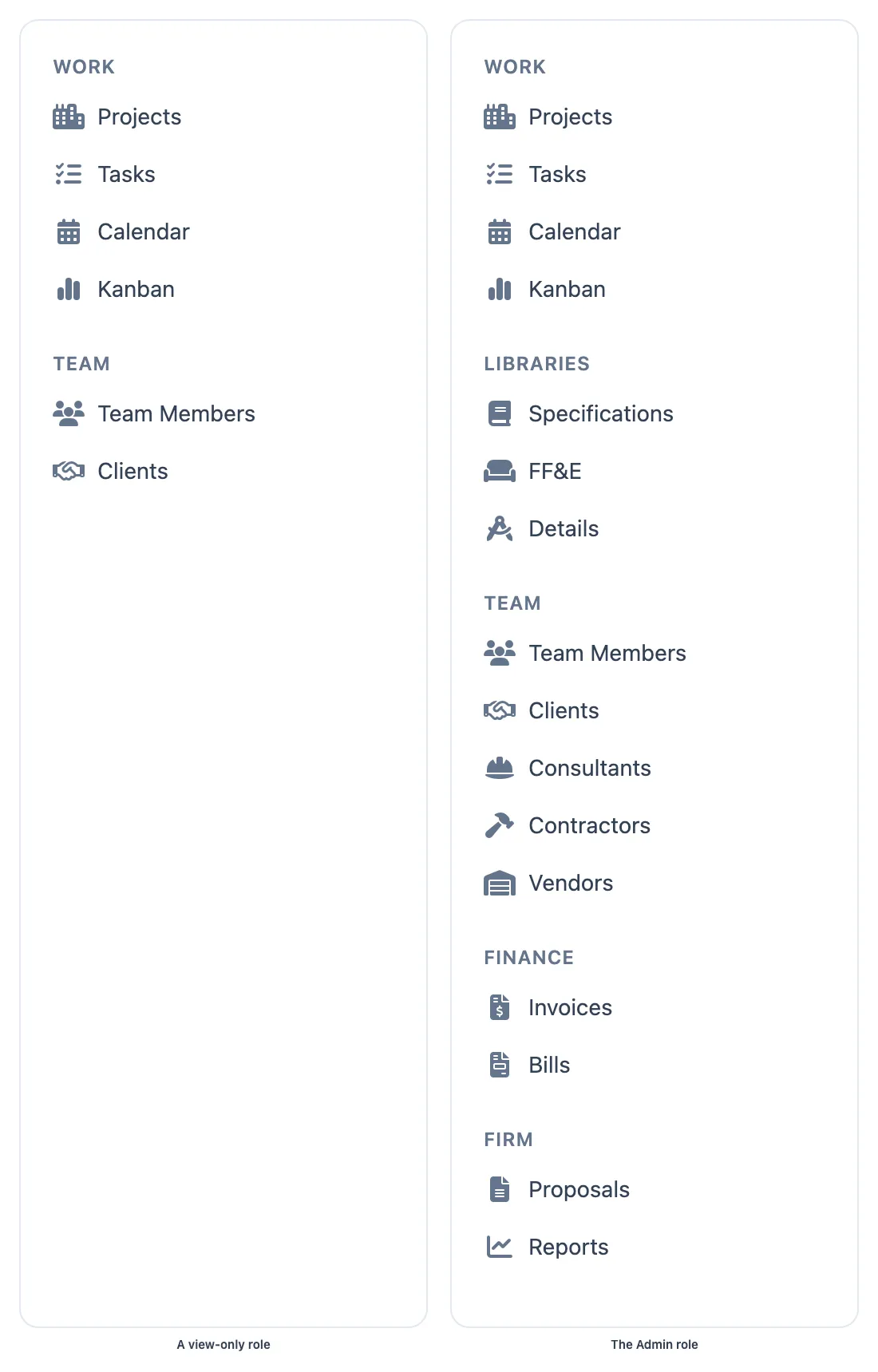
The same firm seen by two different roles. Areas your role has no access to simply are not there.
The built-in Admin role
Section titled “The built-in Admin role”Every firm has one built-in Admin role. It:
- Has full access to everything in AECPulse
- Is automatically assigned to the first user who signs up
- Cannot be edited, deleted, or renamed — it is always present
Where roles are managed
Section titled “Where roles are managed”There are two separate places for working with roles:
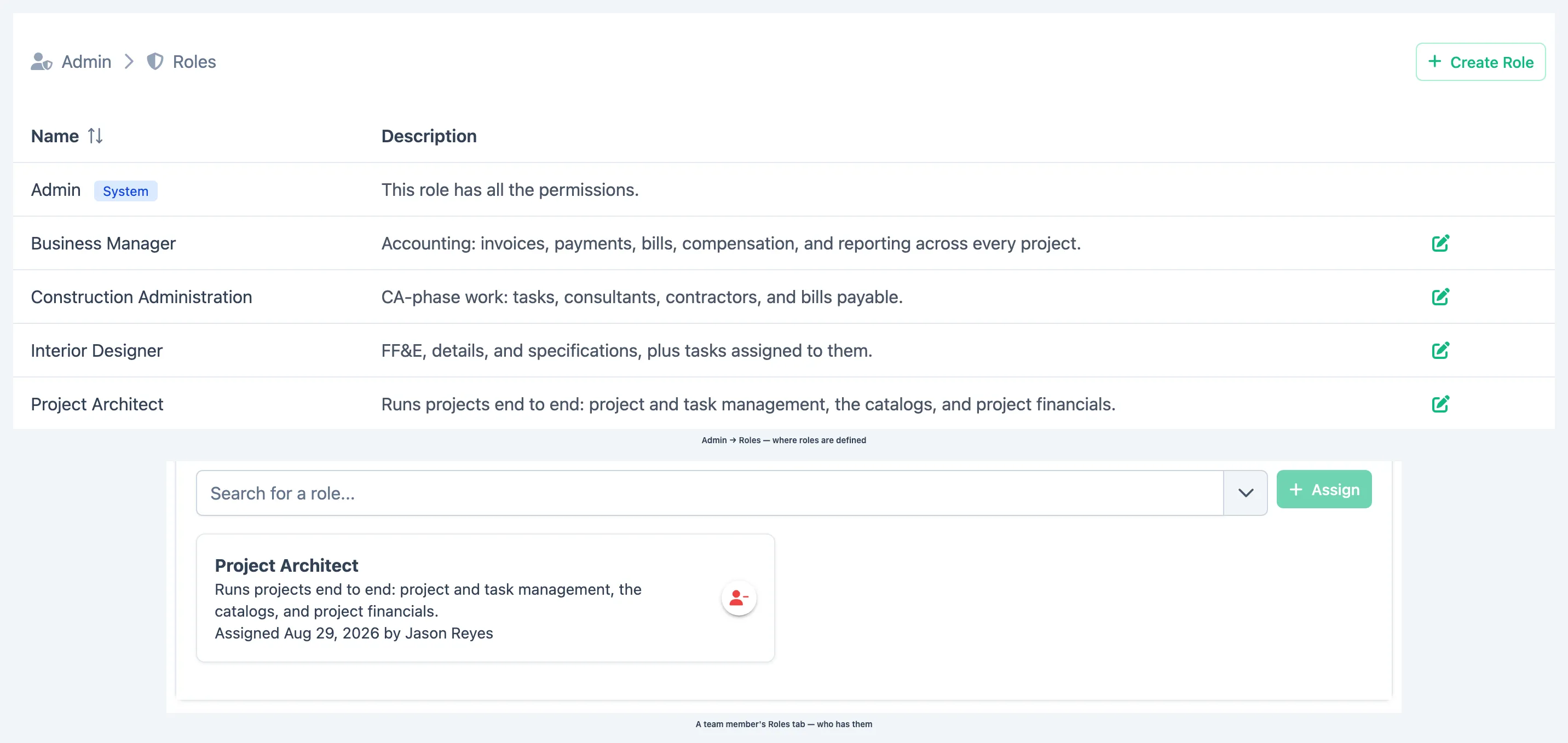
Admin → Roles
Section titled “Admin → Roles”An administrator can click the gear icon in the top bar to open the Admin area, which opens on its Roles tab. There they can:
- Create a new role and choose its permissions
- Edit an existing role’s name or permissions
- Delete a role (the Admin role cannot be deleted)
See Create and edit roles for step-by-step instructions.
Team member Roles tab
Section titled “Team member Roles tab”To assign a role to a specific person, open that person’s record in Team Members and click the Roles tab.
See Assign roles to a team member for step-by-step instructions.
”I can’t see a feature” — what to do
Section titled “”I can’t see a feature” — what to do”If you’re missing a menu item or button, the most common cause is that your role doesn’t include that permission. See I can’t see a feature or button for guidance.