
Specifications
Note: The AI text formatter runs entirely in your browser. The first time you use it, it needs to download a language model — this may take a few minutes depending on your internet connection and device. It needs Chrome or Edge.
Specifications is where your firm writes, organizes, and stores specification text — the detailed descriptions of materials, products, and methods used in your projects.
How specifications are organized
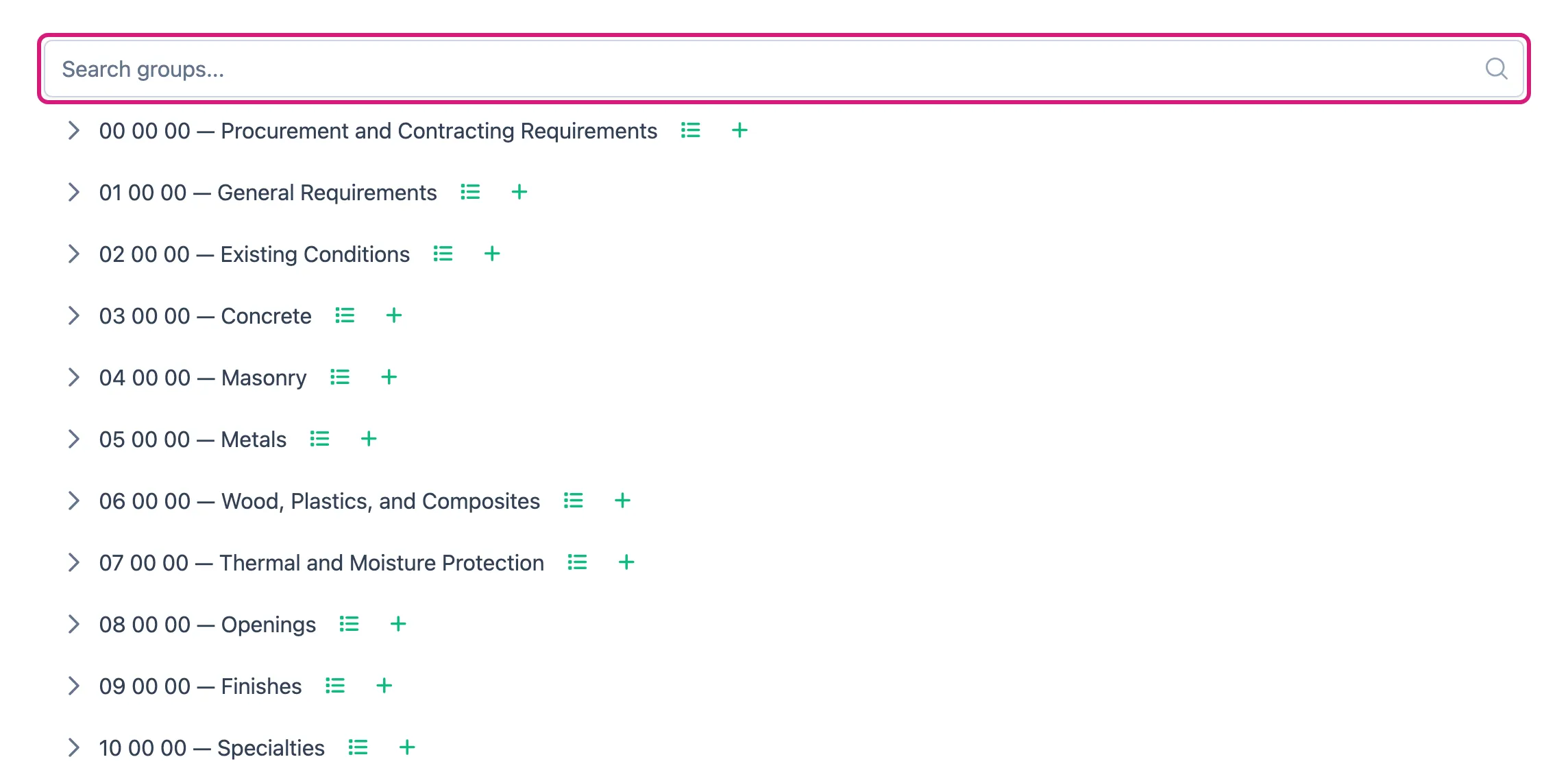
Section titled “How specifications are organized”Specifications use a tree of groups. Groups work like folders: you create a hierarchy that mirrors a typical spec format (for example, Division 03 — Concrete, or Division 09 — Finishes). Within each group, you create individual specification entries.
Each specification has:
- A number (e.g. 03 30 00)
- A name (e.g. Cast-in-Place Concrete)
- Rich-text content — the full spec text, formatted with headings, lists, and paragraphs
Writing and searching specs
Section titled “Writing and searching specs”Open a group to see its specifications in a table you can sort by number or name. The search box above the table finds specifications in that group by number, name, sub-name, or vendor, once you’ve entered at least two letters. Click the × to clear it. Search looks at those fields only, not the full spec text.
The AI text formatter
Section titled “The AI text formatter”While editing a specification, the Format with AI button at the top right of the text editor cleans up and formats the spec text — turning pasted text into headings, lists, and paragraphs. It runs entirely in your browser — your text is not sent to any outside server.
First use: The formatter needs to download a language model (about a gigabyte) to your browser the first time you use it. This is a one-time download. Depending on your internet speed and computer, it may take several minutes. After the download, the formatter is available immediately without waiting again (until you clear your browser storage).
Browser support: The formatter needs Google Chrome or Microsoft Edge, kept up to date. It relies on a browser feature that Firefox and older versions of Safari don’t have — in those browsers the button appears but is greyed out, and hovering over it explains why.
See Format specification text with AI for how to use it.